 RiceFlow
Plant the right rice for your farm
RiceFlow checks your farm, recommends rice varieties that fit it, and guides you step by step from seed to harvest, following DA-PhilRice PalayCheck.
Free · Android 7.0 or newer · English, Filipino and Bisaya
Benefits of using RiceFlow
Made for rice farmers in Panabo City, Davao del Norte, using DA-PhilRice guides and real harvest data from the province.
Check your farm
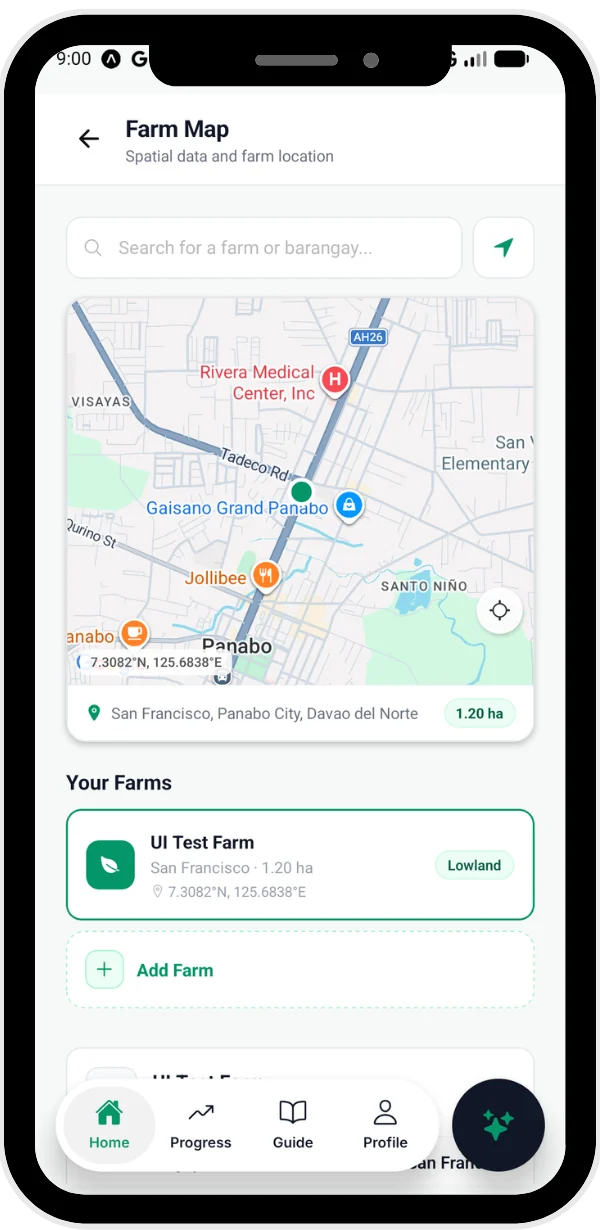
Pin your farm on the map. RiceFlow checks the land, soil, rain and temperature for that spot.
Best rice varieties
See which NSIC varieties fit your farm and the season, with the reasons why.
Step-by-step guide
Follow the PalayCheck steps from seed to harvest. RiceFlow reminds you what to do and when.
GeoRice AI
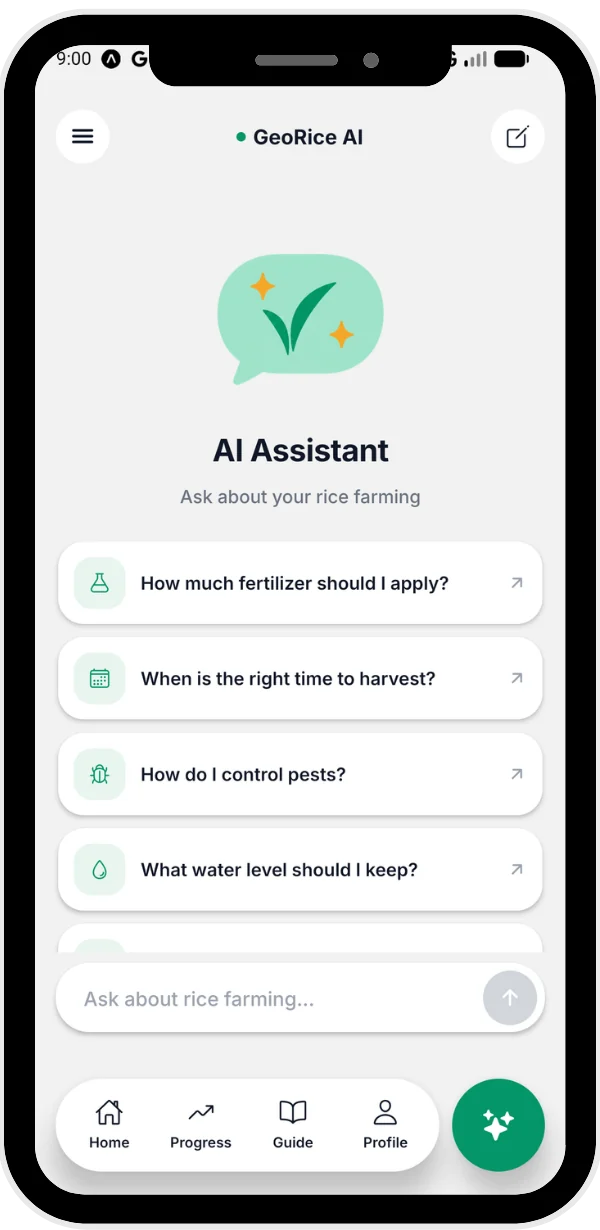
Ask about your rice or a pest problem. Answers come from DA-PhilRice booklets and show the source page.
Your path to a better harvest
From signing up to harvest day, RiceFlow walks with you through the season.
Create your account
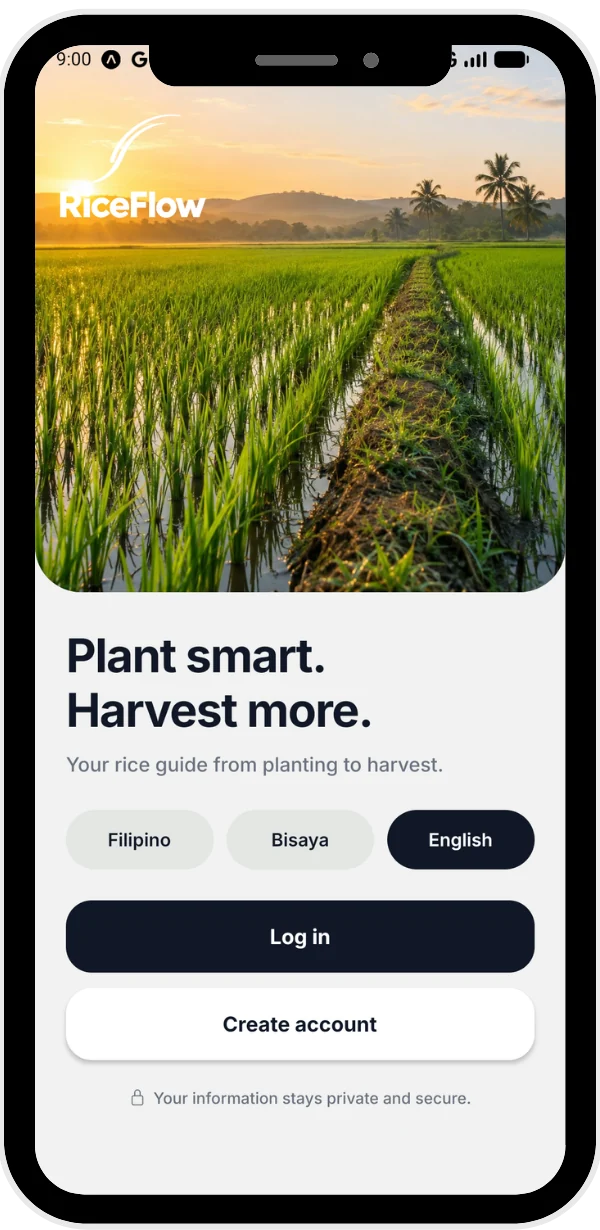
Pick your language and sign up. It takes about a minute.
- English, Filipino or Bisaya
- Your information stays private
Pin your farm and get your varieties
Put your farm on the map. RiceFlow checks it and shows the rice varieties that fit it best.
- Land, soil and weather for your spot
- Expected yield for each variety
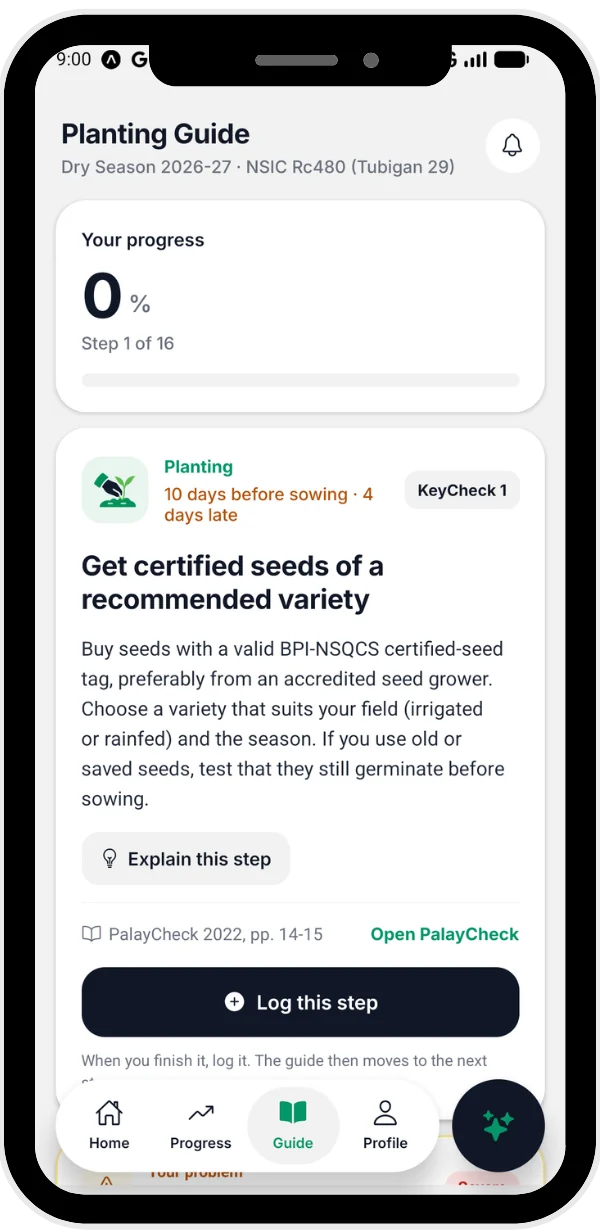
Follow the planting guide
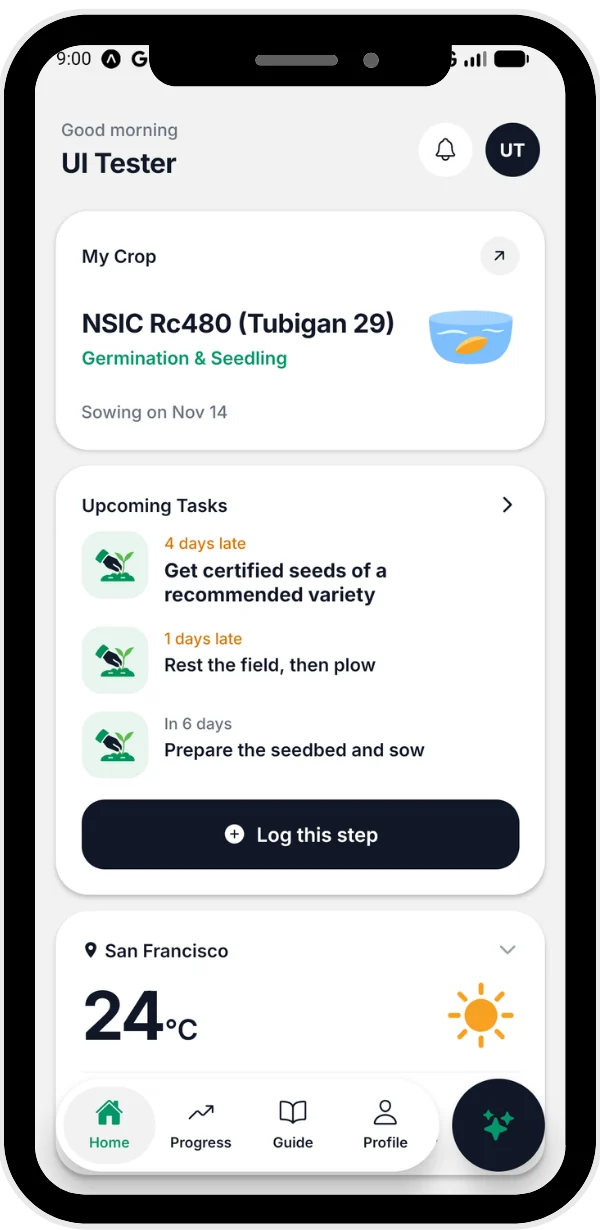
Do each PalayCheck step and tap Log this step when you finish. Tap Explain this step if you need help.
- Reminders before each step
- Help for pests and diseases
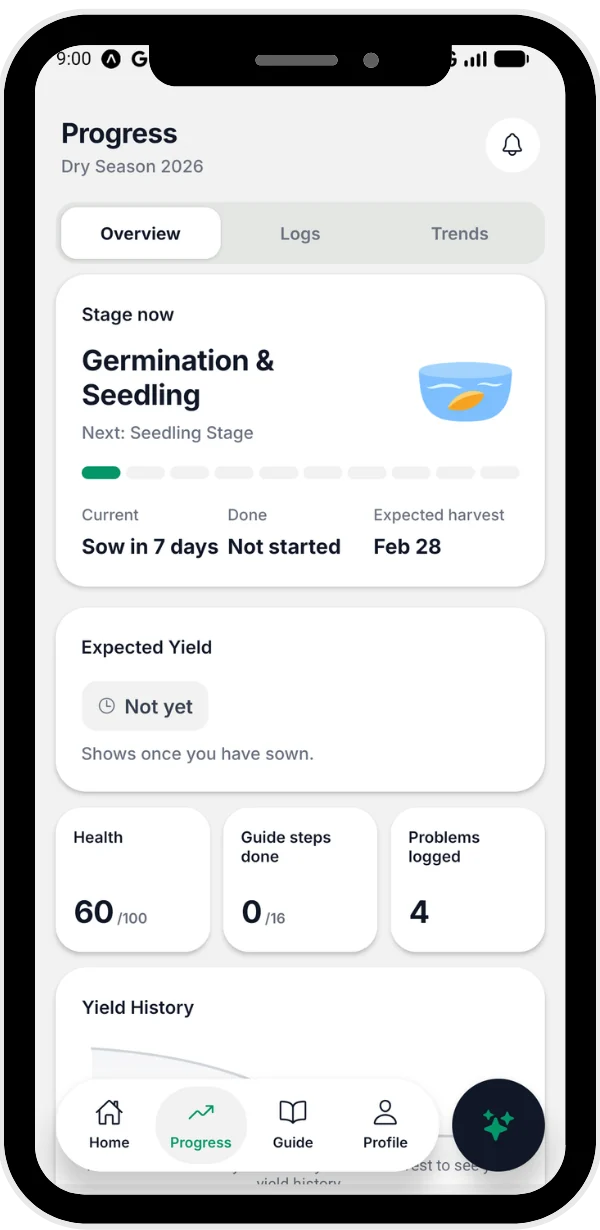
Track your crop to harvest
See your crop's stage, the expected harvest date and your yield, season after season.
- Yield estimate from Davao del Norte harvest data
- Your yield history
Install RiceFlow in 4 steps
RiceFlow is not on the Play Store yet, so you install it from this website. It takes about 2 minutes.
Download
Tap Download for Android on this page. If your phone asks, tap Download anyway.
Open the file
When it finishes, tap Open. You can also find RiceFlow.apk in your Downloads or Files app.
Allow the install
If you see "For your security…", tap Settings, turn on Allow from this source, then go back.
Install and sign up
Tap Install, then Open. Create your account and add your farm.
Good to know
Is RiceFlow free?
Yes. RiceFlow is free to download and use.
Which phones can use it?
Android phones with Android 7.0 or newer. There is no iPhone version yet.
Does it need internet?
Yes. RiceFlow needs mobile data or Wi-Fi to check your farm, show the weather, save your logs and use GeoRice AI.
Where does the advice come from?
The planting guide follows DA-PhilRice PalayCheck. GeoRice AI answers from DA-PhilRice rice booklets and shows the source page. For serious problems, also talk to your City Agriculture Office.
How do I update the app?
Download it again from this page and install it. Your account and farm data stay saved.
Ready for this season?
Download RiceFlow, pin your farm, and get the rice varieties that fit it.